Shittim Canvas NEXT
Rewind memories, starting here.
By downloading, you agree to our Privacy & Copyright Policy
Download
View ChangelogStable Release
RecommendedNEXT v1.0.0
2026-03-17
Full Package (Complete installation, including all resource files, ready to use)
Patch Package (Incremental update package, only includes changed parts)
No patch package available
Tested and recommended for daily use
Insider Preview
Unstablev1.2.3 (Insider Preview 2)
2025-10-28
Full Package (Complete installation, including all resource files, ready to use)
No full package available
Patch Package (Incremental update package, only includes changed parts)
Experience the latest features, may be unstable
Download Tips
- • After downloading, it is recommended to verify the SHA-256 to prevent tampering
- • Currently only provides Windows version
- • If you encounter installation problems, please check the FAQ below
Changelog
NEXT v1.0.0
Stable Release 2026-03-17“不是怎么真有人专门挑佳代子生日发 NEXT 版本啊???”
注:本次稳定版更新由于底层大变,与其他 Shittim Canvas 版本均不兼容,因此不提供补丁包。请下载全量包体验最新功能!
[新功能]
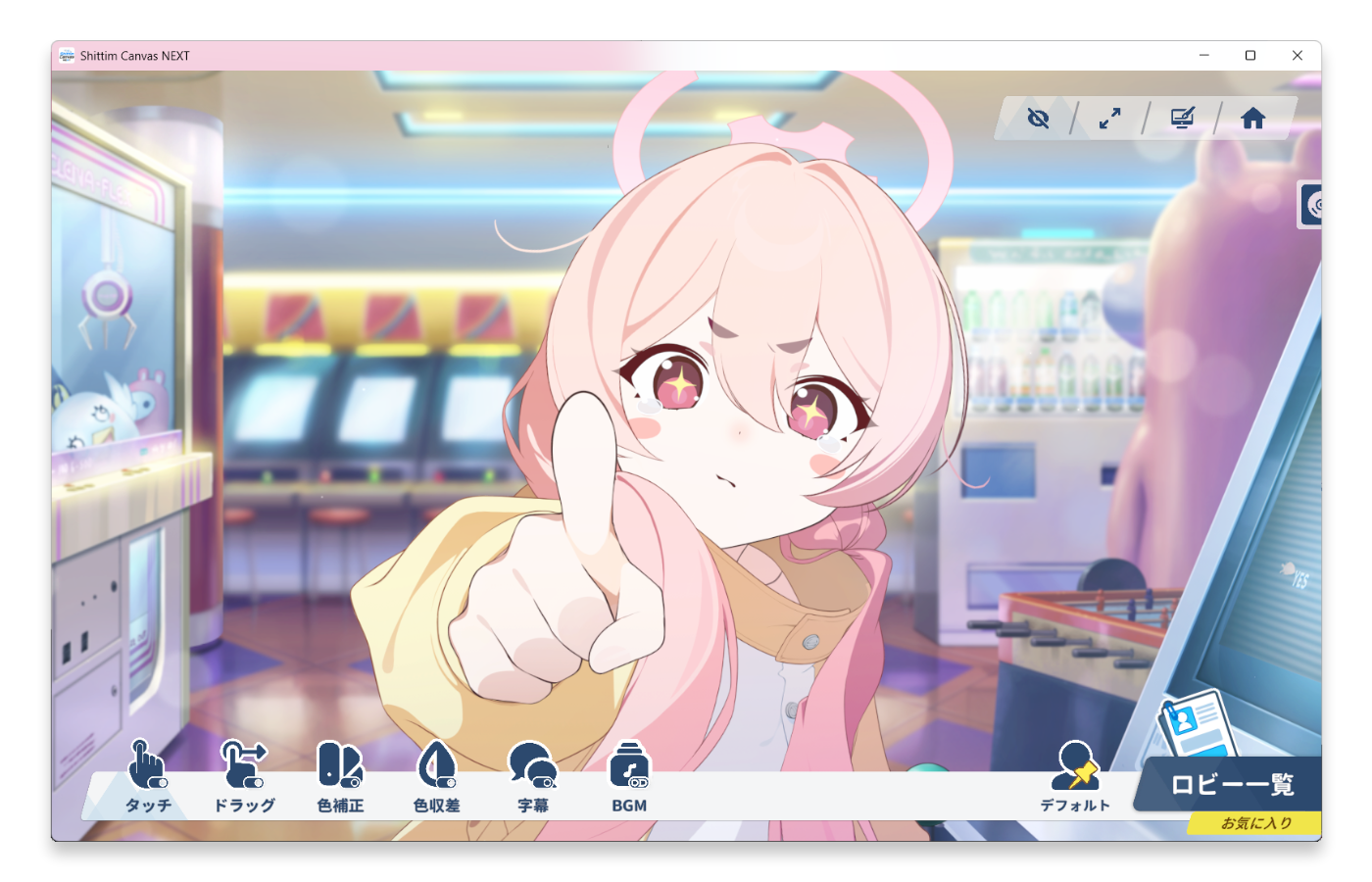
- 全新设计 UI 及动效!更加贴近 BA 的体验!我们甚至率先一步使用了全屏 Blur 效果!
- 全新底层设计,进一步还原记忆大厅的各类贴图及动画细节!(扯脸,戳手指?!我们全都有!)
- 全新场景重现功能,让你与学生们的主线剧情的动态演出场景也能成为你值得回味的珍贵回忆!
- 重构的壁纸沉底及多显示器支持,跟 Shittim Canvas 1.2 的烦恼说拜拜——!
- 全新壁纸模式下的窗口指示器 "KIVOTOS FINDER",帮助你快速将覆盖的窗口添加到白名单!
- 新增音乐播放器及自定义 BGM 功能,记忆大厅应该配什么样的乐由你来决定!(啥,不喜欢 BA 的音乐,那就自己导入一个吧!)
Contains Files
Full Package [全量] Shittim Canvas NEXT (10020260317).zip 2764.8 MB
Download Links:
v1.2.3
Stable Release 2025-11-04“我魔芋170发没出,没石头了,望周知。”
注:本次稳定版更新由于着色器变更,与其他Shittim Canvas版本不兼容,因此不提供补丁包。请下载全量包体验最新功能!
[新功能]
- 新增回忆大厅学生陪伴时长功能!现在可以在回忆大厅列表的学生卡片左下角看到!
- 新增回忆大厅列表以陪伴时间排序的功能
- 新增了回忆大厅列表快速首页尾页的按钮及功能
- 新增在托盘菜单中静音 Shittim Canvas 的功能
- 新增了分角色单独保存相机设置,并在切换到对应角色时自动读取数值的功能
- 新增在托盘菜单中复制当前壁纸模式下覆盖窗口的类名(ClassName)的功能,可以复制到设置中的覆盖项中来添加白名单
- 为随机回忆大厅添加伪随机选项开关以避免过分随机到同一个学生的回忆大厅
- 在选择定时切换大厅时会新增一个随机范围选项,可以选择全局随机或者收藏夹内随机
- 新增了当回忆大厅面板开启时阻止进入壁纸模式的功能
- 增加了回忆大厅背景音效的功能
- 在 [设置-关于] 中添加了当前使用的图形API指示器,以便排错使用
[修复]
- 修复了设置中更新日志的样式问题
- 修复按住方向键会导致鼠标返回画面中心的问题
- 修复在回忆大厅搜索输入文字时光标消失的问题
- 修复了简体中文的 CJK 问题(即简体中文中出现日文汉字等问题)
- 修复了启动电脑后自动进入壁纸模式出现窗体残留问题
- 修复记忆大厅背景音效为空的空引用问题和添加新的着色器变通方法
[优化]
- 优化了 UI 音效处理
- 优化了托盘菜单选项。将进入壁纸模式和返回正常模式的选项合并,会根据当前状态显示不同的提示
- 优化了鼠标拖尾在快速拖动鼠标时出现卡顿的问题
- 优化了渲染性能,节省了 GPU 性能开销
- 优化了问题处理器。当角色加载出现错误时会显示错误界面,指明出问题的角色及错误原因
Contains Files
Full Package [全量包] Shittim Canvas v1.2.3.zip 2656.0 MB
Download Links:
v1.2.3 (Insider Preview 2)
Insider Preview 2025-10-28"我和律贴贴了两个小时星野不会发现罢"
- 新增回忆大厅学生陪伴时长功能!现在可以在回忆大厅列表的学生卡片左下角看到时长!
- 新增了当回忆大厅面板开启时阻止进入壁纸模式的功能
- 新增了回忆大厅列表快速首页尾页的按钮及功能
- 修复按住方向键会导致鼠标返回画面中心的问题
- 修复在回忆大厅搜索输入文字时光标消失的问题
- 修复了简体中文中的部分文字被替换为日本汉字的问题(完全弃用了回退字体方法,如果有地方缺字体或显示不正确,请反馈!)
- 修复了在Shittim Canvas内进入壁纸模式后,托盘菜单文字没有变成”返回正常模式“的问题
- 初步为壁纸模式添加保险措施,防止启动电脑后自动进入壁纸模式出现窗体残留问题(待验证)
- 优化了UI音效处理,防止快速点击按钮时出现按钮音效卡顿问题
- 优化了鼠标拖尾在快速拖动鼠标时出现卡顿的问题
- 更新了图标logo
FAQ
What are the system requirements?
Windows 7 or higher, recommended 64-bit system. At least 4GB of RAM and 5GB of available disk space are required.
How to verify the integrity of the downloaded files?
Each downloaded file provides a SHA-256 checksum. After downloading, you can use the Windows PowerShell command: Get-FileHash -Algorithm SHA256 filename.zip. Compare the displayed hash value with the one provided on the page to ensure it is correct.
What is the difference between the stable and insider versions?
The stable version has been thoroughly tested and is recommended for daily use. The insider version contains the latest and hottest features but may be unstable, suitable for experiencing new features.
How to adjust the camera in the memory lobby?
Ctrl+E to enter edit mode, use the mouse left button to move, the mouse right button to zoom, and the scroll wheel to rotate. Press and hold the Shift key to perform the above operations for fine adjustment. Press Ctrl+R in edit mode to reset the memory lobby camera.
How to customize the dialogue subtitles?
To customize the dynamic subtitles, the character's metadata has an additional performance script. To change the text, you need to ensure that the [TextJp in ScenarioScriptExcel_List] and [TextCn in CharacterDialogInfo_List] have the same number of characters, otherwise it will report an error. The optimization will be updated later.
How to install the patch package?
- Delete all files and folders except the Core Files folder
- Move the contents of this package to your Shittim Canvas folder
- Start Shittim Canvas.exe
Note:
- The patch package cannot be cross-version. For example, you cannot use your v1.0 version to install the patch package for v1.2!
- The patch package does not include Assets. Downloading this alone will not work. Please download the full package of the previous version and follow the above method.
- If you replace the files directly, Shittim Canvas will crash.
How to feedback problems?
You can report problems through GitHub Issues, Discord or QQ Group. Please describe the problem phenomenon and operation steps in detail, otherwise we will find it difficult to provide help.
Can't find the answer? Check our help documentation: Shittim Canvas NEXT Help Documentation
Join Community
Communicate with other users, get the latest news and technical support
In our community, you can:
Share your experience Report issues Get update notifications Discuss Blue Archive!
复制成功
Introducing Shittim Canvas NEXT
Please give us a thumbs up, comment and share!<3